
You can sign a PDF for free in under a minute: open the file, create your signature, place it on the page and save a new copy. Free options exist on every device. FlowPDF runs in your browser and keeps the file on your device, so a contract or form never has to be uploaded to a stranger's server. Below you will find the steps for each device, the Singapore rules on when a simple signature is enough, and how to check the result.
TL;DR
- Signing a PDF means placing your signature on the page and saving a new copy. You do not need to print, sign and scan.
- Free tools exist for every device: Markup on iPhone and iPad, Adobe Fill & Sign on Android, Adobe Reader on desktop, and FlowPDF's Sign PDF in any browser, with no upload, signup or watermark.
- In Singapore, an electronic signature can carry the same legal standing as a handwritten one if the conditions in the Electronic Transactions Act are met. A few documents, such as wills and powers of attorney, are excluded.
- For high-value or high-risk deals, a Secure Electronic Signature, such as Sign with Singpass, gives stronger protection.
- Before you send the file, open it again and check that your signature sits where it should.
Table of Contents
- What "signing a PDF" actually means
- Free ways to sign a PDF, by device
- Use a photo of your handwritten signature
- Fill and sign a form in one go
- Is a signed PDF legally valid in Singapore?
- Why not uploading matters
- How to check a signed PDF before you send it
- Perspective: why we built signing to stay on your device
- Sign your PDF now, free
- A simple signing workflow you can repeat
- Mistakes that cause trouble
- FAQ
- Sources
What "signing a PDF" actually means
The phrase covers three different things, and mixing them up causes most of the confusion.
- An image of your signature on the page. You draw it, type it or insert a photo of your handwriting, then position it on the signature line. This is what most people need for rental forms, school forms, NDAs and quotations.
- An electronic signature. In law, this is broader than an image. It is any electronic way of showing that you intend to sign. A placed signature image can be one, depending on the context.
- A digital signature. This uses a certificate to link the signature to a verified identity and to flag any later change to the file. Sign with Singpass is the Singapore example.
If you want the longer version of this comparison, we explain it in electronic signature vs digital signature in Singapore.
For most everyday paperwork, the first kind is all you need. Later in this guide you will see when it is not.
Free ways to sign a PDF, by device
The University of Minnesota's IT guide lists the common free routes: Markup on iPhone and iPad, Adobe Fill & Sign on Android, and Adobe Reader on desktop. A browser tool is the fourth route, and it works on all of them.
| Method | Works on | Account or install | Where the file goes |
|---|---|---|---|
| Markup | iPhone, iPad | Built in | Stays on your device |
| Adobe Fill & Sign | Android | App install | Depends on how you open and save it |
| Adobe Acrobat Reader | Windows, Mac | App install | Stays on your computer when saved locally |
| FlowPDF Sign PDF | Any modern browser | None | Processed locally in your browser, no upload |
Pick by habit. If you already have Reader installed and sign weekly, use it. If you are on someone else's laptop, at a library or on a phone with little storage, a browser tool saves you an install.
Sign on a computer
The fastest browser route:
- Open FlowPDF's Sign PDF.
- Choose your PDF from your device. It is not uploaded.
- Create or add your signature.
- Drag it onto the signature line and resize it.
- Save the signed copy.
If you use Adobe Acrobat Reader DC on Windows, Dartmouth's IT guide explains that you can draw, type or insert an image of your handwritten signature. Once saved, Reader reuses it, so repeat signing takes seconds.
Prefer a no-Adobe workflow on a Windows or Mac machine? Our guide on signing PDFs locally without Adobe covers it. Mac users also have Preview and the camera route, described in how to sign a PDF on Mac.
Sign on an iPhone or iPad
Markup is built in. Open the PDF from Files or Mail, tap the markup icon, add a signature with your finger and place it. Our walkthrough, how to sign a PDF on iPhone in under 60 seconds, shows each tap. If the document is a form rather than a contract, see filling PDFs on iPhone without an app.
Sign on Android
Adobe Fill & Sign is the free app named in the University of Minnesota guide above. If you would rather not install anything or let a file pass through an app's cloud, follow how to sign a PDF on Android without uploading it.
Use a photo of your handwritten signature
Many people want their real handwriting rather than a finger-drawn scrawl. The Dartmouth guide gives practical advice for the photo: use black ink on clean white paper and light the page without shadows. Heavy cropping is not needed if the image is fairly clean.
A few habits that help in practice:
- Sign with a dark pen, not pencil or a pale gel pen.
- Photograph in daylight, straight on, with the phone parallel to the paper.
- Keep a clean copy saved on your device so you do not have to redo it.
- Do not post your signature image anywhere public. Anyone can copy it.
The steps are in signing a PDF with an image locally.
Fill and sign a form in one go
A lot of searches are really for "fill and sign": a tenancy form, a school consent form, a leave application. The order matters. Fill first, sign last.
In Adobe Acrobat Reader, the Dartmouth guide says to use the Fill & Sign tool to detect text fields and type into them, then add your signature from the Sign tool in the same menu.
If the PDF has no real form fields, because it is a scan or a flattened export, use an editor to type text on top of the page. FlowPDF's Edit PDF does that, and the same toolkit includes a form-filling tool. Then sign the finished version.
A few tips before signing:
- Read every page. After you sign, changing the content makes the document harder to defend.
- Remove pages that should not be there with Remove Pages, and reorder with Organize PDF.
- Black out personal details the other party does not need, such as an NRIC number on a supporting page, with Redact PDF. Redaction should come before signing, not after.
Is a signed PDF legally valid in Singapore?
For most everyday documents, yes. The Singapore Government's developer guidance on e-signatures says the Electronic Transactions Act (ETA) gives electronic signatures the same legal standing as wet-ink signatures when specified conditions are met. The ETA is technology neutral, so the law does not demand one particular tool. If you want a wider explanation of when electronic signatures carry legal effect, electronic signature legal validity is a useful overview.
Ordinary and Secure signatures
Singapore distinguishes between Ordinary Electronic Signatures (OES) and Secure Electronic Signatures (SES). According to CMS's guide to e-signatures in commercial contracts, SES offers stronger protection if a signature is disputed. Government guidance reserves SES for exceptional, high-risk or high-value transactions, and names Sign with Singpass as one solution.
An OES is a good fit for:
- Quotations, purchase orders and routine business agreements
- Internal approvals and HR forms
- School and club forms
- Simple service agreements between parties who know each other
Consider an SES, or take professional advice, when:
- The sum at stake is large, or a dispute is plausible
- The other party does not know you and may challenge your identity
- A regulator, bank or counterparty names a specific signing method
Documents that cannot be signed electronically
Under section 4 and the First Schedule of the ETA, e-signatures cannot validly be used for wills, negotiable instruments, powers of attorney, declarations of trust, and contracts for the sale or disposition of immovable property. The guide was published in 2020, so confirm the current list with a Singapore lawyer before relying on it for a property sale, a will or a power of attorney.
What FlowPDF does and does not do
FlowPDF places your signature on the page. It does not issue certificate-backed digital signatures. If you need a Secure Electronic Signature, use Sign with Singpass. Sign with Singpass produces SES under the Electronic Transactions Act 2010, and each signature is cryptographically linked to the signer, with any change to the signed document detected and flagged as invalid. For everyday paperwork, an ordinary signature placed locally is what most people need. For anything above that, tell us what you are signing and we suggest you check the requirements with the other party first.
Why not uploading matters
Most "sign PDF free" sites ask you to upload the file. Contracts and forms often contain names, addresses, NRIC numbers, salaries and bank details. Once the file leaves your device, you depend on someone else's security.
Singapore's Personal Data Protection Commission says an organisation remains responsible for personal data in its possession or control, including when a data intermediary processes it on its behalf, and that organisations must make reasonable security arrangements against unauthorised access, use, disclosure, copying, modification or disposal. If you handle other people's documents for work, that has a practical meaning: sending a client's form through a random upload site is a decision you own.
Signing inside your browser avoids the question. The document never reaches a server, so there is no upload to secure, no account to protect and no retention period to ask about.

How to check a signed PDF before you send it
Two checks take a minute and prevent most mistakes.
1. Look at it. Open the saved copy, not the original. Scroll through every page. Check that the signature sits on the line, is not clipped, and that nothing shifted. Singapore's Signify guidance recommends visually inspecting the signed version in the PDF reader before sending, and warns that changing the file in transit can make it unverifiable.
2. If it has a digital signature, verify it. For a Sign with Singpass document, open it in Adobe Acrobat Reader and confirm the green "Signed and all signatures are valid" status. In the signature panel, check that the document was not modified, the signer is valid, timestamp information is present, and the certificate names the expected signer. The guidance also says to check the signer's name and the last four NRIC characters in the certificate subject. An "unknown" status can simply mean the required Singpass root certificate is not installed on your machine.

The second check applies to certificate-based signatures. A picture of a signature has no certificate to inspect, so rely on the visual check and keep a copy.
Perspective: why we built signing to stay on your device
We built FlowPDF around one idea: a document you need to sign is usually a document you would rather not hand to a third party. Contracts, tenancy forms and employment letters carry exactly the details that should stay private.
So our signing runs in your browser. We do not ask you to register, we add no watermark and we charge nothing. We also try to be plain about limits. A placed signature is right for everyday paperwork, but it is not a certificate-backed digital signature, and we do not pretend it is. When a deal is high-value or a counterparty demands a Secure Electronic Signature, use a service built for that, such as Sign with Singpass.
Our advice for most people: fill the form, remove what should not be there, sign last, save under a new file name and keep the original untouched.
— Ronald Ang
Sign your PDF now, free
FlowPDF's Sign PDF works in your browser. Open your file, place your signature, save. There is no upload, no account and no watermark, and nothing to pay.
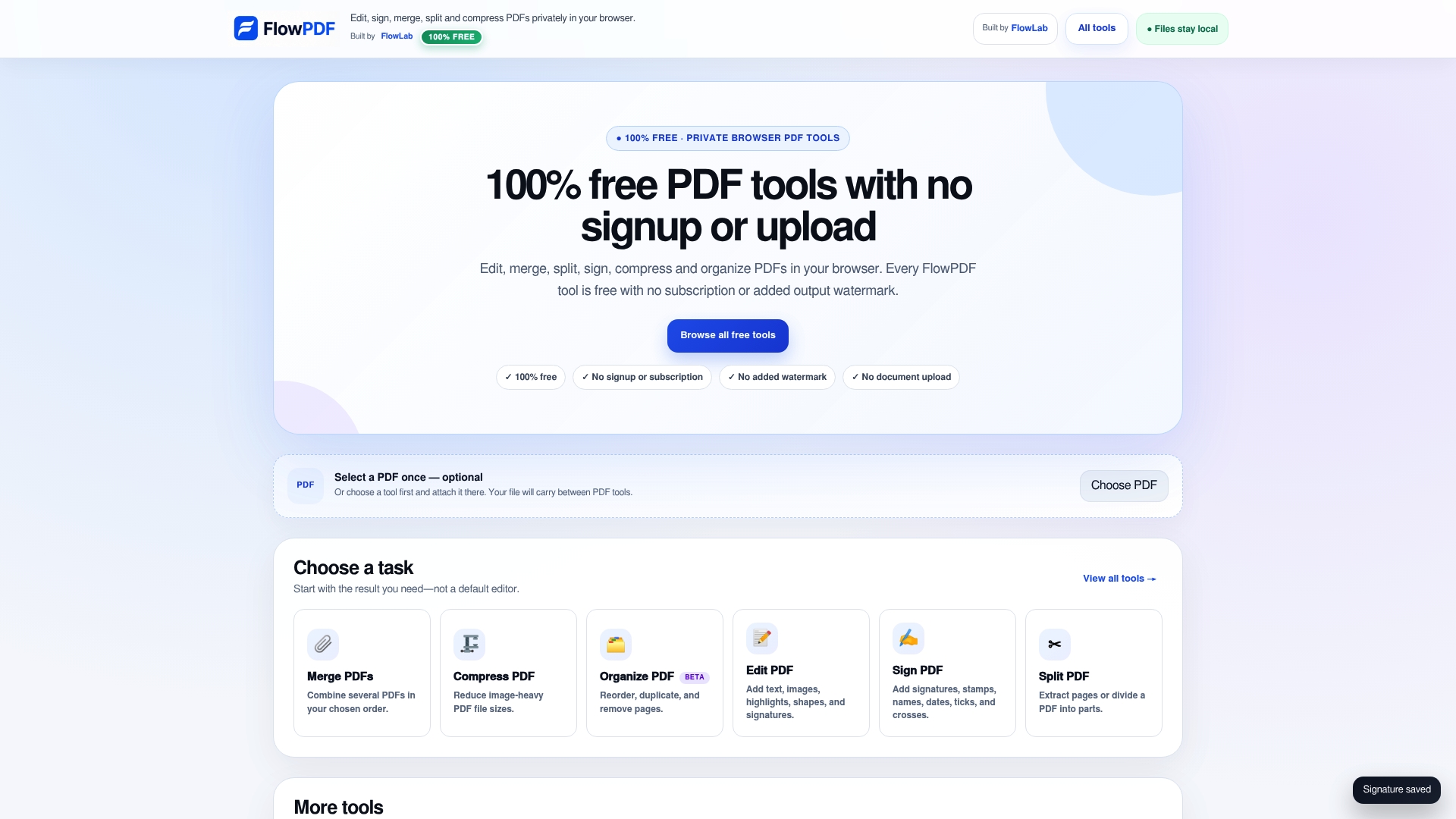
If the document needs work first, the same toolkit covers merging several files into one, compressing a large scan so it fits an email limit, and cropping margins. You can see all of it on the free PDF tools page.
A simple signing workflow you can repeat
If you sign documents often, a fixed routine saves time and avoids errors.
- Keep the original. Save the received file untouched in a folder.
- Prepare a working copy. Remove blank or irrelevant pages, and merge any annexes the other party asked for.
- Fill in the fields. Type dates, names and addresses.
- Redact what is not needed. Cover extra personal data on supporting pages.
- Sign last. Place the signature on every page that needs one, and initials where asked.
- Compress if needed. Email and portals often cap file size. Compress before signing if you can, as a changed file after a digital signature may fail verification.
- Review and send. Open the saved file, scan through it, then send.
For a freelancer sending quotes, a student returning a signed consent form or a tenant sending a form to a landlord, this takes a few minutes and leaves a clean trail.
Mistakes that cause trouble
- Signing a scan of a scan. Quality drops each time. Work from the original PDF where possible.
- A giant signature. Resize it to sit on the line without covering text.
- Signing before the content is final. If the other party changes a clause later, you will need to sign again.
- Using an electronic signature for an excluded document. Wills, powers of attorney and similar documents need a different process.
- Assuming every signature is a digital signature. A picture of your signature is not certificate-backed, and cannot be verified in the same way.
- Forgetting where the file went. If you used an upload site, assume a copy may exist on their servers.
FAQ
Can I sign a PDF for free without installing anything?
Yes. A browser tool such as FlowPDF's Sign PDF needs no install or account. You open the file, place your signature and save a copy. Because processing happens locally, the document is not uploaded.
Is a typed or drawn signature on a PDF legally binding in Singapore?
Often yes. The Electronic Transactions Act gives electronic signatures the same standing as handwritten ones when its conditions are met. Some documents, including wills and powers of attorney, are excluded. For large or contested deals, ask a Singapore lawyer whether a Secure Electronic Signature is needed.
What is the difference between signing a PDF and digitally signing it?
Signing usually means placing your signature image or text on the page. A digital signature uses a certificate that ties the signature to a verified identity and flags later edits. Sign with Singpass is an example in Singapore. FlowPDF places signatures and does not provide certificate-backed ones.
How do I sign a PDF on my phone?
On iPhone or iPad, use Markup in Files or Mail. On Android, use Adobe Fill & Sign or a browser tool. Either way, draw or add your signature, place it on the line and save a new copy.
How do I check that my signed PDF is fine?
Open the saved copy and read through every page to confirm the signature is placed correctly. If the file carries a digital signature, open it in Adobe Acrobat Reader and look for the green status saying all signatures are valid.
Sources
- Creating an eSignature on iOS, Android, and Desktop (University of Minnesota)
- Add signature to PDF document using Adobe Acrobat Reader DC (Dartmouth)
- E-Signatures (Singapore Government Developer Portal)
- Sign with Singpass FAQs (Singapore Government Developer Portal)
- E-signatures in commercial contracts in Singapore (CMS)
- Advisory Guidelines on Key Concepts in the PDPA (PDPC)
- Verifying Sign with Singpass Signatures (Singpass Developer Docs)
- Verifying Sign with Singpass Signatures (Signify guide)