The best iLovePDF alternative depends on one question: do you mind your file leaving your device? If you do, pick a tool that processes PDFs inside your browser, like FlowPDF. If you don't, cloud tools such as Smallpdf and Sejda work, but they come with task limits and paid tiers. This guide compares them on what matters: uploads, free limits, price, and signing.
TL;DR
- Privacy first: FlowPDF processes files locally in your browser, so nothing is uploaded. Smallpdf processes files on its cloud servers and deletes them within one hour.
- Free limits differ: Smallpdf's free plan allows two PDF uploads per session. Sejda's free tier allows 3 tasks per hour, 50 MB files and 200 pages.
- Cost: FlowPDF is free, with no signup and no watermark. Smallpdf Pro costs $10 a month billed annually. Sejda's annual Desktop+Web plan costs $63 a year.
- Signing: a drawn or typed signature is not the same as a Secure Electronic Signature under Singapore law. Check which one your document needs.
Table of Contents
- How to choose: start with the task, then the privacy rule
- Quick comparison table
- FlowPDF: free, local and no signup
- Smallpdf: cloud processing with a clear retention policy
- Sejda: generous page limits, hourly task cap
- Which tool fits which job
- Uploads and privacy: what to check before you process a file
- Signing contracts: what Singapore law cares about
- Perspective: why we build PDF tools that stay on your device
- Try FlowPDF on your next PDF
- FAQ
- Sources
How to choose: start with the task, then the privacy rule
Most people searching for an iLovePDF alternative want one of four things: to stop hitting free limits, to avoid uploading a sensitive file, to avoid a subscription, or to find a tool that does one job better. Each points to a different pick.
Use these criteria to compare any PDF tool:
- Where the file is processed. Your own device, or a company's server.
- What the free plan really allows. Look for task counts, file size, page caps and batch processing.
- Accounts and watermarks. Some tools ask for an email before you can download.
- Price of the paid plan. Currency, billing period and the date the price was checked.
- Signing. Whether the tool signs visually only, or supports stronger signatures.
The sections below apply those five criteria to each option.
Quick comparison table
| Criteria | FlowPDF | Smallpdf | Sejda |
|---|---|---|---|
| Where files are processed | In your browser, no upload | Cloud servers, deleted within one hour | Web tool plus a paid desktop option |
| Free plan limits | No task limit published, no watermark, no signup | Two PDF uploads per session | 3 tasks per hour, 50 MB, 200 pages |
| Paid plan | None, all features free | Pro: $10/month billed annually or $15/month billed monthly | $5 Web Week Pass, or $63/year Desktop+Web Annual |
| Account needed | No | Not stated in our research | Not stated in our research |
| Tools covered | 20 tools, from merge and split to redact and sign | Broad online toolkit | Broad online toolkit |
Smallpdf figures come from a 2026 professional review of Smallpdf. Sejda figures come from Sejda's pricing breakdown, checked on 12 October 2026. Plans change, so confirm on each provider's site before you commit.
FlowPDF: free, local and no signup
FlowPDF does the work inside your browser tab. Your PDF is not sent to a server, which removes the biggest worry with online document tools. It is free with no subscription, no watermark and no required signup.
The toolkit covers the jobs most people bring to iLovePDF:
- ✓ Merge PDF: combine research papers, receipts or contract parts into one file.
- ✓ Split PDF and extract pages: pull out only the pages you need.
- ✓ Compress PDF: shrink a file for email or a portal upload.
- ✓ Edit PDF, rotate and crop pages.
- ✓ Image to PDF and scan to PDF.
- ✓ Organize, remove pages, add page numbers, watermark, fill forms, compare, redact, protect, unlock and sign.
- ✓ PDF to Markdown extraction.
The full list is on the FlowPDF tools page.
Best for: students merging papers, freelancers editing contracts, and anyone handling documents they would rather not upload.
Worth knowing: FlowPDF is built for everyday PDF work. If you need certificate-backed digital signatures, see the signing section below, because that is a different category of signature.
Smallpdf: cloud processing with a clear retention policy
Smallpdf is a Swiss-based provider. According to a 2026 review, it processes uploaded files on its cloud servers, complies with GDPR, CCPA and nFADP, and deletes files within one hour. The same review notes ISO/IEC 27001 certification, EU-based servers and TLS encryption.
That is a reasonable security posture for a cloud service. The trade-off is that your file does leave your device. For a public brochure, that rarely matters. For a signed employment contract or a bank statement, many people prefer not to take the step at all.
On cost, the free plan limits you to two PDF uploads per session. Pro costs $10 a month billed annually, or $15 a month billed monthly, per the same review. If you merge or compress files daily, that cap is the reason most people start looking elsewhere.
For a deeper look, read our guide to Smallpdf alternatives with no uploads or fees.

Sejda: generous page limits, hourly task cap
Sejda's free tier allows 3 tasks per hour, files up to 50 MB and documents up to 200 pages. Paid options include a $5 Web Week Pass and a $63 per year Desktop+Web Annual plan, according to a pricing review checked on 12 October 2026.

The week pass suits a one-off project, such as a thesis submission. The hourly cap is the thing to plan around: three tasks go quickly when you merge, compress and then rotate a single file.
If you want a tool with no task counter at all, a local browser tool avoids the question. The limit you meet is your own device's memory, not a quota.
Which tool fits which job
| Your job | What to look for | Good fit |
|---|---|---|
| Merge research papers | No page cap, no watermark, fast on large files | FlowPDF, or Sejda for files under 50 MB and 200 pages |
| Compress for email or a portal | Control over size, no upload for sensitive files | FlowPDF for private files |
| Manage many documents in a week | No hourly or per-session limits | FlowPDF, or a paid plan elsewhere |
| Edit a contract | Local processing, no account | FlowPDF |
| One-off project with a tight deadline | Short paid pass is acceptable | Sejda Web Week Pass |
For merging specifically, our comparison of PDF merge tools for privacy goes into more detail.
Uploads and privacy: what to check before you process a file
There are two models. A local tool runs in your browser, so the document stays on your device. A cloud tool sends the file to a server, processes it and returns the result. Cloud tools can be well run. Smallpdf's one-hour deletion and ISO/IEC 27001 certification are examples of good practice. But you are trusting a policy rather than avoiding the transfer.
Before you process anything sensitive, check:
- Where the file goes. Does the tool say it processes locally, or does it upload?
- How long files are kept. Look for a stated deletion time.
- Whether an account or email is required. Fewer personal details means less to protect.
- Metadata in the file. PDFs can carry author names and edit history. Our guide to private PDF editors and stripping metadata shows how to clean a file before you share it.
The same habit applies across the web. If you want to see how safety scanning claims on other online services are weighed, read about Janitor AI safety risks for a reminder that a platform's own safety numbers rarely tell the whole story.
Signing contracts: what Singapore law cares about
Many people look for a PDF alternative because they need to sign a contract. In Singapore, the details matter.
GovTech's documentation explains that signatures can be ordinary or secure electronic signatures. Sign with Singpass signatures meet the stated Secure Electronic Signature criteria under the Electronic Transactions Act 2010 and provide tamper detection through cryptographic verification, according to GovTech's explanation of how its digital signatures work. The same guidance indicates that a visual or typed signature is not automatically equivalent to a Secure Electronic Signature.
In practice:
- A drawn or typed signature is fine for many everyday agreements, such as a freelance quote or an internal approval.
- If the other party, your lawyer or a regulator expects a Secure Electronic Signature, check whether your signing method meets the statutory criteria before you sign.
- Singpass signing certificates issued from 13 February 2025 come from the GovTech CA, while older signatures may use legacy Assurity certificates. Adobe Acrobat Reader can verify them once the Singapore root certificates are installed, per GovTech's verification guide.
FlowPDF lets you add a signature without uploading the document. It is not a certificate-backed digital signature service. For help choosing, read electronic vs digital signatures in Singapore, or our step-by-step guide to signing a PDF for free. If you want to know how ordinary and secure signatures apply to browser signing, see OES vs SES for signing in the browser.
Perspective: why we build PDF tools that stay on your device
We built FlowPDF around one idea: a PDF tool should not need your document to leave your computer.
Most PDF jobs are small. Merge two files, compress one, rotate a page. These do not need a remote server, an account or a subscription. When the work runs in your browser, there is nothing to upload, nothing to delete afterwards and nothing to trust us with.
That is why all our tools are free, with no watermark and no signup. We think students merging research papers, freelancers editing contracts and businesses managing stacks of documents should not have to pick between convenience and privacy.
If you are leaving iLovePDF because of limits or uploads, try the job you do most often and see whether it works for you.
Ronald Ang
Try FlowPDF on your next PDF
If your reason for comparing alternatives is privacy or cost, the quickest test is to run your real task. Open FlowPDF, drop in a file and merge, compress or edit it. No account is needed, and the file never leaves your browser.
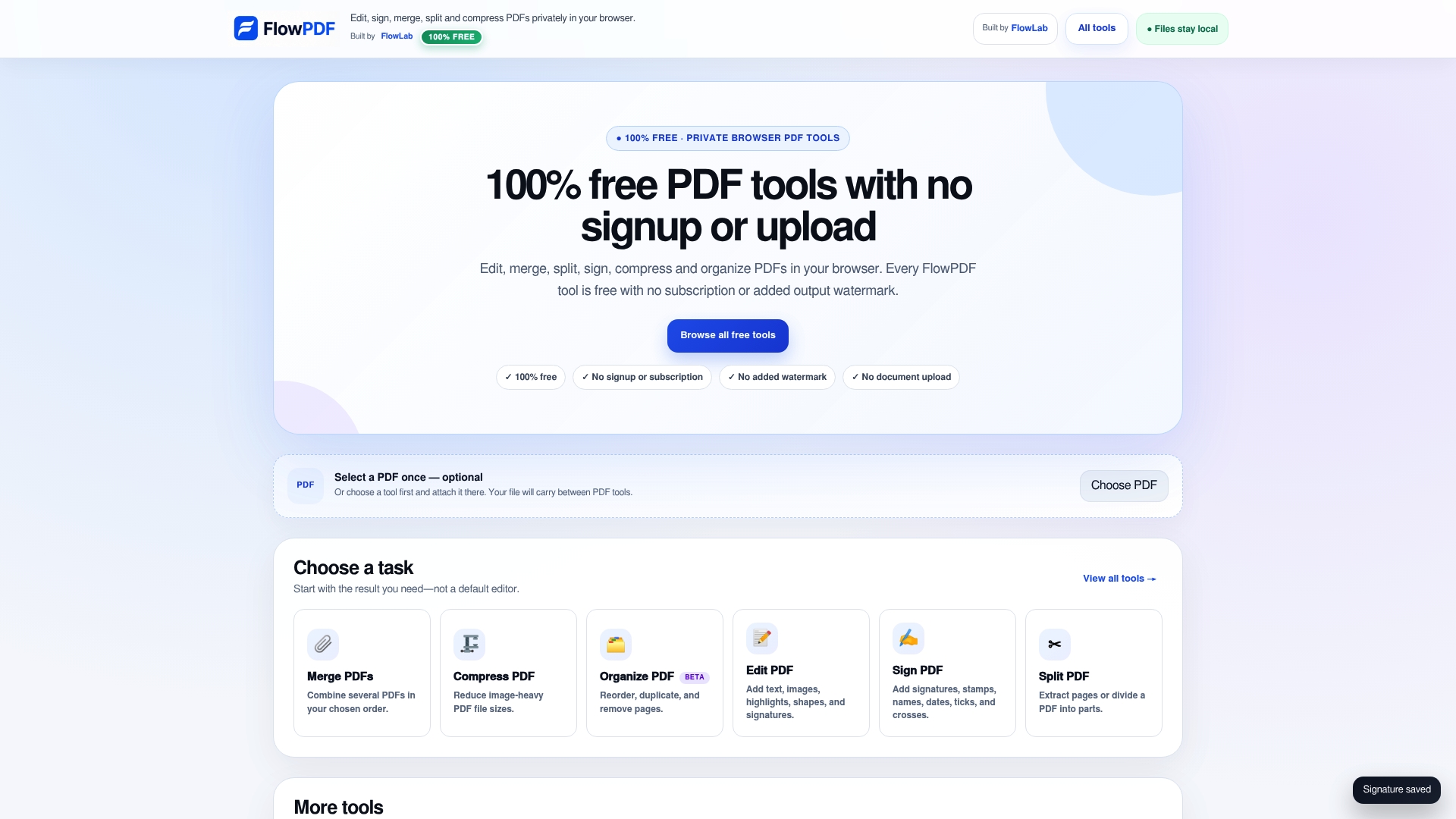
Start on the FlowPDF tools page and choose the tool you need. You can also go straight to merge or compress.
FAQ
Is there a free iLovePDF alternative with no upload?
Yes. FlowPDF processes PDFs locally in your browser, so your files are not sent to a server. It is free, with no watermark and no signup. It covers merge, split, compress, edit, sign and more.
What are the free limits on Smallpdf and Sejda?
Smallpdf's free plan limits you to two PDF uploads per session. Sejda's free tier allows 3 tasks per hour, 50 MB per file and 200 pages per document. Both figures come from 2026 reviews, so check each site for current terms.
How much do paid PDF tools cost?
Smallpdf Pro costs $10 a month billed annually or $15 a month billed monthly. Sejda offers a $5 Web Week Pass and a $63 per year Desktop+Web Annual plan, checked on 12 October 2026. FlowPDF has no paid plan.
Can I sign a contract with a PDF tool in Singapore?
Yes for many everyday agreements, using a drawn or typed signature. If you need a Secure Electronic Signature under the Electronic Transactions Act 2010, check that your signing method meets the statutory criteria. Services such as Sign with Singpass are built for that purpose.
Are cloud PDF tools safe?
Some are run well. Smallpdf, for example, is ISO/IEC 27001 certified, uses TLS encryption and deletes files within one hour. Still, a local tool avoids the upload altogether, which is the simplest choice for contracts and financial documents.
Sources
- Smallpdf: A PDF Tool That Offers More Than Expected
- Sejda PDF pricing (2026)
- How Sign with Singpass digital signatures work
- Loading the Singpass root signing certificate
- Janitor AI Safety: 1 Million Weekly Scans Still Leave Risks