
Yes, an electronic signature is legally valid in Singapore. The Electronic Transactions Act 2010 (ETA) gives it the same standing as a wet-ink signature, as long as the method you use identifies you and shows that you intend to sign. For most contracts, a signed PDF is enough. A few documents, mainly deeds and some property transactions, follow stricter routes. This guide explains the rule, the two types of signature in the law, and how to sign a PDF without handing the file to anyone else.
TL;DR
- The ETA treats a valid electronic signature like a handwritten one. It was first enacted in 1998 and the current Act dates from 2010.
- Singapore law has two tiers: the ordinary electronic signature (OES) and the secure electronic signature (SES). Only the SES comes with a legal presumption in court.
- Deeds and conveyancing have special rules. The 2025 Act sets a route for them inside prescribed electronic systems, so do not improvise with a plain PDF.
- For routine contracts, you can sign a PDF locally in your browser with FlowPDF's Sign PDF tool. No upload, no account, no watermark.
Table of Contents
- What the Electronic Transactions Act actually says
- Two tiers: ordinary and secure electronic signatures
- Do electronic signatures hold up in court?
- What cannot simply be signed electronically
- Digital certificates and Singpass
- How to sign a contract PDF properly: six steps
- Where FlowPDF fits
- Our perspective
- FAQ
- Sources
What the Electronic Transactions Act actually says
The ETA is the law that decides whether electronic records and signatures count. Electronic records and signatures have been generally recognised in Singapore since 1998 when the first version of the Act was passed, and the 2010 Act carries the principle forward. Sections 6 to 10 cover legal recognition of electronic records, the requirement for writing, the requirement for signature, retention of records and the provision of originals.
The key rule for signing is section 8. Under it, a legal requirement for a signature is met by an electronic signature if two conditions hold:
- You use a method that identifies the person and shows their intention about the record they are signing.
- That method is either as reliable as appropriate for the purpose, in light of all the circumstances including any agreement between the parties, or it is proven in fact to have done both jobs, on its own or with further evidence.
The source for this is the Electronic Transactions Act 2010 on Singapore Statutes Online.
In plain terms, the law does not demand a specific product or a certificate. It asks two questions. Can you show who signed? Can you show they meant to sign? If the answer to both is yes, and the method was reasonable for the document, the signature counts.
The Singapore Government's developer guidance puts the result simply: the ETA gives e-signatures the same legal standing as wet-ink signatures, and it recognises two kinds, which the next section explains.
Two tiers: ordinary and secure electronic signatures
Singapore does not use the EU's "qualified electronic signature" label. According to the CMS expert guide to e-signatures in Singapore, the ETA uses its own term, the secure electronic signature, instead.
Ordinary electronic signature (OES)
An OES is any electronic signature that meets section 8. A typed name in an email, a click on an "I agree" button, or a signature placed on a PDF can all qualify. The CMS guide lists simple standard e-signatures, typed names in email attachments and click-on agreements as valid. It adds that a copy-pasted image of a handwritten signature in an email attachment is not enough, and neither are legal statements sent through social media or chat apps.
An OES is valid, but it has no automatic presumption behind it. If someone later disputes it, you may need evidence to show that the signature is theirs and that they meant to sign.
Secure electronic signature (SES)
Under section 18(1) of the ETA, a signature is treated as secure when a specified or commercially reasonable security procedure verifies that, at the time it was made, the signature was:
- unique to the person;
- capable of identifying that person;
- created under that person's sole control; and
- linked to the record so that any change to the record invalidates the signature.
The benefit comes from section 19. In legal proceedings, a secure electronic signature is presumed to be the signature of the person it matches, affixed with the intent to sign or approve, unless evidence to the contrary is produced. No such presumption arises for an ordinary electronic signature.
How the two compare
| Ordinary (OES) | Secure (SES) | |
|---|---|---|
| Legal basis | Section 8 ETA | Sections 18 and 19 ETA |
| Valid and enforceable | Yes | Yes |
| Court presumption | None | Presumed to be the signer's, with intent to sign |
| Typical use | Routine contracts, NDAs, consent forms, approvals | High-risk or high-value documents |
| Who proves what in a dispute | You may need to show who signed and why | The person disputing it must bring contrary evidence |
The government developer guidance explains the logic: because the SES presumption shifts the burden of proof to the party who disputes the signature, it is reserved for high-risk or high-value transactions such as funding contracts, tenancy agreements or statutory declarations. An OES is enough for routine documents.
For a deeper look at how electronic and digital signatures differ in practice, read our electronic signature vs digital signature guide for Singapore. Our piece on OES and SES when signing PDFs in your browser covers the same split from the signing side.
Do electronic signatures hold up in court?
They can, because the law treats a compliant electronic signature as a signature. The question in a dispute is not "was this on paper?" but "does the method meet section 8, and what evidence supports it?"
That is why good records matter more than the type of tool. If you ever need to defend a signed PDF, the strongest position is one where you can show:
- who the signer was and how they were identified (an email address tied to the signer, a one-time code, or a prior agreement on how to sign);
- that they intended to sign (the cover email, the agreed process, the act of placing the signature);
- that the document has not changed since signing (one locked final version that all parties hold).
Section 8 also lets the parties' own agreement shape what counts as reliable. A short clause in the contract saying that the parties agree to sign electronically, and by which method, removes much of the guesswork. The corporate guide from TRW recommends the same step, together with matching the identity check to the risk: email for low-value documents, and a one-time password or certificate for significant contracts.
What cannot simply be signed electronically
The ETA has a First Schedule that lists transactions where the general electronic rules do not apply. In 2021 the Electronic Transactions (Amendment) Act 2021, which started on 19 March 2021, adopted the UNCITRAL Model Law on Electronic Transferable Records and removed transferable documents and instruments from that exclusion list. The Government has said it is studying whether the remaining items can be removed once the right legislative, regulatory and safeguard frameworks are in place, as the Minister's second-reading speech records.
So before you sign anything important, check the document type against the First Schedule on Singapore Statutes Online. If your document is a will, a power of attorney or a conveyance of land, take the form from your lawyer and follow their execution steps.
Deeds and property documents
Deeds are the area where readers most often get caught. The Electronic Conveyancing and Other Matters Act 2025 creates a statutory route for certain conveyancing documents and deeds to be executed electronically, but only inside a prescribed electronic transaction system. The Act requires:
- a secure electronic record in that prescribed system;
- a deed statement;
- prescribed secure signatures; and
- for an individual signatory, attestation by a witness.
Witnessing can be virtual. The Act allows it through live two-way audiovisual communication, where the witness can keep visual contact, confirm identity, verify the document and signature, and confirm that the document signed later is the same one. The Act says it takes effect on a date the Minister appoints by Gazette notification, so check Singapore Statutes Online or your lawyer for the status when you plan a transaction.
This is a controlled route for specific systems, not a general permission to sign a deed on a PDF. For a deed or a property transaction, the lawyer or conveyancer acting for you handles the execution steps. If a deed or supporting paper must also be notarised or legalised for use overseas, work out that chain early, for example by reading about notarisation and apostille coordination in cross-border deals.
For everyday documents such as service agreements, NDAs, freelance contracts, quotations, consent forms, internal approvals and tenancy-related paperwork that does not fall within the special routes, the ETA's general rules and a clear agreement on how to sign are your starting point. Check high-value documents with your lawyer.
Digital certificates and Singpass
A common confusion is that an e-signature needs a digital ID. It does not. Section 8 asks for a reliable method of identifying the signer, not a certificate.
A digital signature backed by a certificate is a stronger option. IMDA, the regulator, states that signatures based on certificates from licensed Certification Authorities are automatically considered trustworthy and recognised by law. The authority checks the identity of the applicant before issuing the certificate, and the signer must keep the signing key private.
Singpass offers another route for people who want an identity-backed signature. In Sign with Singpass, no document data passes between the partner platform and the national digital identity platform. Only a random, unintelligible and irreversible code representing the signed document is transferred. The service's FAQ, last updated 11 June 2026, adds that signed documents are not stored on the Singpass server or app longer than necessary to complete the transaction.
The takeaway for privacy: keeping a document on your own device while you sign it is a sound habit for any contract. It limits who can see the text before and after signing.

How to sign a contract PDF properly: six steps
The steps below suit routine commercial and personal contracts. Where FlowPDF fits, we say so.
- Check the document type. Confirm it is not on the ETA's exclusion list and is not a deed or conveyancing document, which follow the special routes above.
- Confirm who may sign. For a company, make sure the signatory has authority, for example through a board resolution, a delegation matrix or a power of attorney. A valid signature from someone without authority does not bind the company.
- Agree the method in writing. One sentence in the contract or the cover email is enough: the parties agree to sign electronically on a PDF copy.
- Lock one final version. Finish all edits first. Merge attachments and exhibits into a single file, check the page order and compress it if it is too large to email. FlowPDF's Merge PDF, Organize PDF and Compress PDF tools work in your browser, so the contract stays on your device.
- Sign. Open the final PDF in FlowPDF Sign PDF, place your signature and save the signed file. The processing happens locally, with no document upload and no watermark added. Our step-by-step guide on how to sign a PDF for free in Singapore shows each click.
- Keep the record. Store the signed file and any cover emails, one-time-code confirmations or audit trail for at least as long as limitation periods and record-keeping duties run, as the TRW guide recommends. Section 9 of the ETA covers the retention of electronic records.
If you want to take the signing step fully offline, see how to sign a PDF offline or locally in Singapore.
A worked example
Say a freelance designer in Singapore agrees a project contract with a client. The contract is a routine commercial agreement, not a deed. They agree by email to sign electronically. The designer merges the contract and the statement of work into one PDF, signs it in the browser, and sends the file. The client signs the same final version and returns it. Both keep the signed PDF and the emails. If the client later disputes the signature, the designer can show the agreed method, the email trail from the client's address and one locked document. That is the type of evidence section 8 asks for.
If the same designer were leasing studio space under a document that must be executed as a deed, the process would be different, and the lawyer would lead it.
Where FlowPDF fits
Most people who search for this topic have a simple job: sign a contract, send it back and know it is safe. FlowPDF is a free browser-based PDF toolkit, and its Sign PDF tool lets you do that without uploading the document, creating an account or paying. The same toolkit also edits, merges, splits, compresses, redacts, protects and fills forms in PDFs, and every tool processes files locally.
That suits students merging research papers into one submission, businesses handling stacks of contracts, individuals shrinking a file to fit an email limit, and professionals who must sign a contract without it leaving their device. See everything on the FlowPDF free PDF tools page.
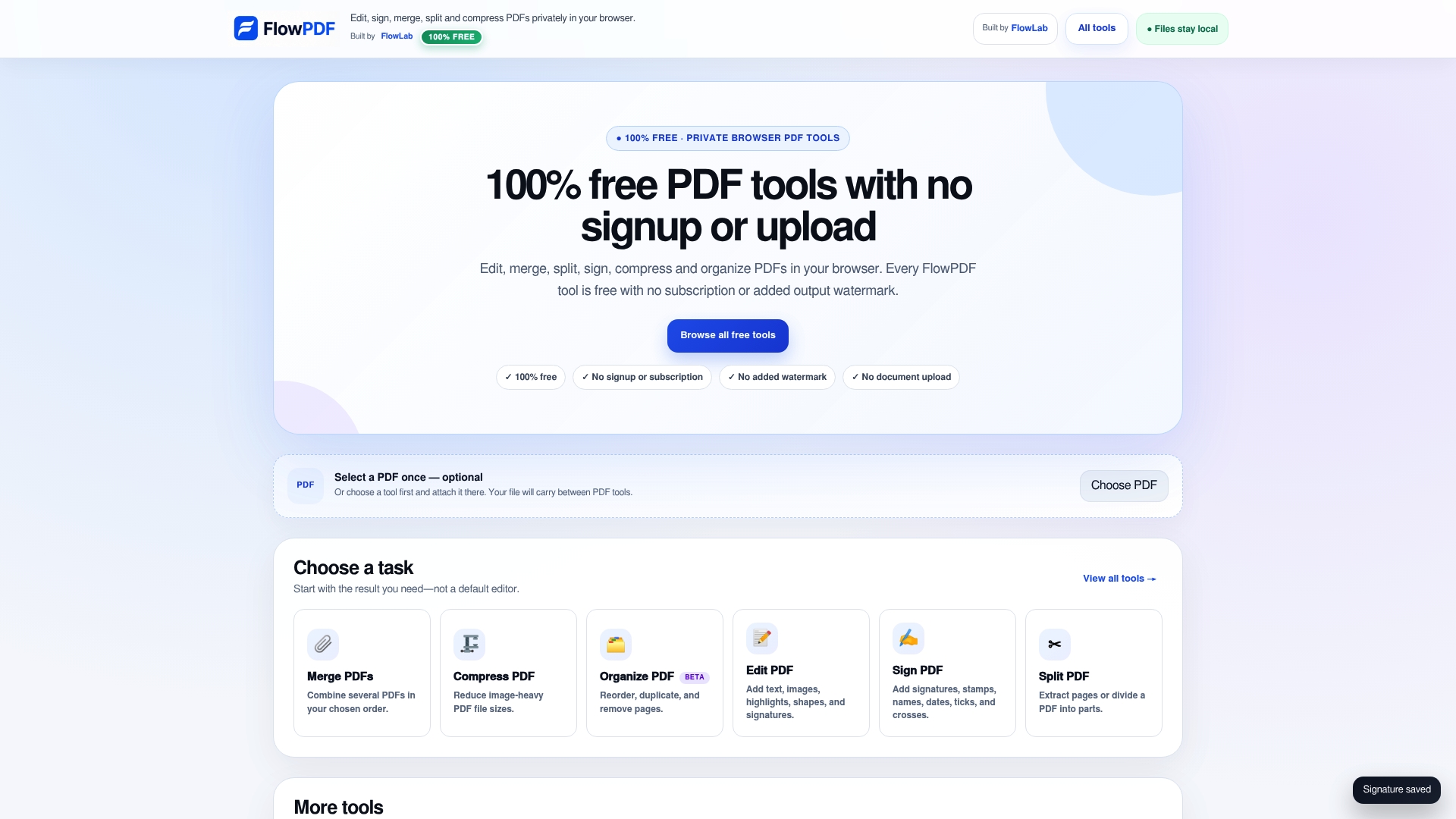
Open the FlowPDF Sign PDF tool when your contract is final, or start from the FlowPDF home page to choose another tool.
Our perspective
Most people do not need a complicated system to sign a routine contract. They need to know three things: the law accepts an electronic signature, the method has to identify them and show intent, and the document should stay in their hands.
We built FlowPDF around that last point. When you sign a contract, the text often holds prices, addresses and personal details. Processing it in your browser, with no upload, means you decide where it goes. It also means there is no account to create and no watermark across a page you have to send to a client.
The Singapore two-tier model is useful because it matches effort to risk. An ordinary signature fits the everyday agreements that make up most of our users' work. Where a transaction is high-value, the law offers a secure route with a stronger presumption, and your lawyer will tell you when you need it.
Our advice is simple: finish the document, merge and tidy it in one file, agree in writing how you will sign, sign the final version, and keep your records. That routine is quick, and it holds up.
Ronald Ang
FAQ
Is a signature typed or drawn on a PDF legally binding in Singapore?
It can be. Under section 8 of the ETA, what counts is that your method identifies you and shows your intention about the document, and that the method is reliable enough for the purpose or proven to work. A typed name or a signature placed on a PDF can meet that test. Keep the emails and the final file as evidence.
Do I need a digital certificate to sign electronically in Singapore?
No. A certificate-based digital signature from a licensed Certification Authority is automatically trusted under the law, but an ordinary electronic signature is also valid if it meets section 8. Choose the stronger option for high-value or high-risk documents.
Can I sign a deed or a property transfer with an e-signature?
Only through the special route. The 2025 Act allows certain deeds and conveyancing documents to be executed electronically within prescribed electronic transaction systems, with prescribed secure signatures and witness attestation for individuals. Ask your lawyer or conveyancer to run it, and check the Act's commencement status on Singapore Statutes Online.
What should I keep after signing a contract electronically?
Keep the final signed PDF, the emails or messages that agree the signing method, and any confirmation or audit log produced during signing. Keep them for at least as long as limitation periods and record-keeping duties apply to that contract.
Sources
- Electronic Transactions Act 2010, section 8 and related provisions (Singapore Statutes Online)
- Electronic Transactions Act 2010, sections 18 and 19 (Singapore Statutes Online)
- E-Signatures, Singapore Government Developer Portal
- E-signatures in commercial contracts in Singapore, CMS expert guide
- Electronic Transactions (Amendment) Act 2021
- Opening speech by Minister S Iswaran at the second reading of the ETA Bill
- Electronic Conveyancing and Other Matters Act 2025
- Key Concepts, IMDA
- New Sign with Singpass service, GovTech
- Sign with Singpass FAQs, Singapore Government Developer Portal
- Electronic Signatures in Singapore: Essential 2026 Guide, TRW
- Coordinate Notarisation and Apostille for EU M&A Deals