
For most individuals and small teams, FlowPDF is the strongest free pick because it signs and edits documents locally in your browser, with no uploads and no watermarks. If you need a stronger legal footing or enterprise reach, Sign with Singpass covers Secure Electronic Signatures, Netrust nSignBasic adds certificate-backed trust, and DocuSign fits larger integrated workflows. The right choice depends on how much legal assurance and integration you actually need.
TL;DR:
- FlowPDF processes all document editing and signing locally in the browser, ensuring files never leave your device and no watermarks or signups are required.
- Sign with Singpass offers government-backed electronic signatures with legal weight in Singapore, suitable for formal agreements needing official validation.
- Netrust nSignBasic provides globally recognized digital certificates at an annual fee, ideal for organizations that require automatic validation across different countries.
- DocuSign is suited for enterprise workflows with integrations, approval processes, and compliance features, but comes with higher costs and complexity.
- Choosing the right tool depends on your need for privacy, legal assurance, workflow integration, and your budget, with simpler tools covering most individual or small team tasks.
Table of Contents
- Practical alternatives to DocHub worth trying
- How the main alternatives compare side by side
- How to choose the right alternative for your situation
- What FlowPDF offers and why it addresses common DocHub concerns
- Customer support and service options when you need help
- Security features that go beyond signature legality
- When a lightweight browser tool is the smarter choice
- Try signing or editing your next document with a browser-based PDF tool
- FAQ
- Sources
Practical alternatives to DocHub worth trying
Each of these tools solves a different version of the same job: getting a document edited, signed, or verified without friction. Here is how they stack up for everyday use.
FlowPDF handles the bulk of what a DocHub user typically needs: editing, merging, splitting, filling forms, redacting, and signing, all processed locally in your browser rather than on a remote server. We built every tool in our free suite to skip the upload step entirely, which means your file never leaves your device. There is no subscription, no signup wall, and no watermark stamped across your finished document with some browser-based tools. For a freelancer signing a one-off contract or a small business owner merging quarterly reports, this covers the job without adding a new account to manage.
Sign with Singpass serves a narrower but important purpose: producing a Secure Electronic Signature recognized under the Electronic Transactions Act. It is free for both individual users and organizations, and because it relies on government-issued credentials, it carries legal weight that a typed name or drawn signature does not. It fits formal agreements, tenancy documents, or anything where a dispute later would require proof of who actually signed.
Netrust nSignBasic takes a certificate-based approach. As an IMDA-accredited certificate authority and a member of the Adobe Approved Trust List, Netrust issues signatures that are automatically trusted across Adobe and Microsoft products worldwide, not just within one jurisdiction. That global recognition comes at a cost: individual certificates start at a moderate annual fee, with organization-level certificates priced higher. It makes sense for a business that regularly signs contracts with overseas partners and needs the signature to validate instantly, without the recipient installing anything extra.
DocuSign targets a different buyer entirely: a team that needs signing folded into a larger workflow, with CRM integrations, approval chains, and audit dashboards. It is the heaviest option here in both features and price. It makes sense once a business is signing dozens of documents a week across multiple departments rather than handling the occasional contract or form.
A few quick notes on fit:
- Choose FlowPDF when privacy and cost matter more than formal legal certification.
- Choose Sign with Singpass when you need SES-level assurance without paying for it.
- Choose Netrust nSignBasic when your signature needs to validate automatically outside Singapore.
- Choose DocuSign when signing is one step in a bigger, integrated business process.
How the main alternatives compare side by side
The four options split cleanly along cost, legal assurance, and where your file actually gets processed. Seeing them side by side makes the tradeoffs obvious.
| Tool | Cost model | Signature assurance | Processing model | Best for | Ease of use |
|---|---|---|---|---|---|
| FlowPDF | Free | Standard e-signature | Local browser | Privacy-minded individuals and small teams doing ad-hoc editing and signing | No signup, instant use |
| Sign with Singpass | Free | SES under Singapore's Electronic Transactions Act | Government-backed, PKI-verified | Formal agreements that need legal presumption in Singapore | Requires Singpass login |
| Netrust nSignBasic | Certificate fee (from around SGD 300/year for individuals) | AATL-recognized certificate | Certificate issued via token or HSM | Organizations needing global certificate trust | Setup takes longer, ongoing validity |
| DocuSign | Subscription | Standard e-signature, with compliance add-ons | Cloud-hosted | Enterprise teams needing integrations and workflow automation | Feature-rich, steeper learning curve |
The pattern that jumps out is a tradeoff between privacy, legal weight, and cost. FlowPDF and Sign with Singpass are both free, but they solve different problems: one keeps your file off any server, the other adds a government-backed signature that holds up in a dispute. Netrust and DocuSign both cost money, but for different reasons. Netrust's fee buys a certificate recognized globally by Adobe and Microsoft systems, while DocuSign's subscription buys workflow automation and integrations rather than stronger signature assurance.
On the legal assurance question specifically: Sign with Singpass uses Public Key Infrastructure and GovTech-issued certificates, so the resulting signature is cryptographically tied to the document and verifiable in any standard PDF reader. That same PKI foundation is what makes Netrust's certificates trustworthy outside Singapore too, since both rely on the same cryptographic principle even though one is government-issued and the other comes from an accredited private CA.
If your documents never leave Singapore and don't need to be recognized by a partner's system abroad, Secure Electronic Signatures through Singpass are usually enough. If you're sending a signed contract to a counterpart in another country who needs instant validation without extra setup, a certificate from an AATL member like Netrust closes that gap.
Pro Tip: Open any signed PDF in a standard reader like Adobe Acrobat and check the signature panel before you send it. A valid, tamper-evident signature will show a green checkmark; anything else is worth investigating before the document goes out.
How to choose the right alternative for your situation
Picking between these four tools comes down to five questions you can answer in under a minute.
- How sensitive is the document, and does it matter whether it touches a third-party server?
- Does this document need formal legal assurance, or is a standard signature enough?
- How often will you be signing or editing documents like this: once, occasionally, or daily?
- Do you need the tool to plug into other software you already use?
- What's your actual budget: free, a one-time certificate fee, or an ongoing subscription?
Once you have those answers, test the tool before committing to it for anything important.
- Upload or open a sample document and confirm whether the tool processes it locally or sends it to a server.
- Sign the sample and check whether the result includes a visible audit trail showing who signed and when.
- Open the signed file in a standard PDF reader to confirm the signature validates correctly.
- Run through your most common workflow, whether that's filling a form, redacting sensitive text, or merging multiple files, before relying on the tool for real documents.
A few red flags should make you walk away from a tool immediately:
- It forces you to upload a document before showing you any features.
- It produces a signed document with no audit trail or verification record at all.
- It locks basic editing or signing behind a paywall with no free tier to test first.
Document authenticity matters beyond signatures too. If you're ever unsure whether a certificate or signature on a document has been altered, resources on spotting tampered certificates are worth a look before you accept a document at face value.
What FlowPDF offers and why it addresses common DocHub concerns
The most common frustration with DocHub-style tools is the upload step itself: sending a contract, a tax form, or a medical document to someone else's server before you can even edit it. Our approach removes that step. Every tool in our suite, including editing, signing, merging, and redacting, runs locally in your browser, so the file stays on your device from start to finish.
That local-processing model matters most for sensitive paperwork: an NDA, a lease, a medical record, or a financial statement. Because nothing uploads, there's no copy sitting on a remote server that could later be exposed in a breach.
Beyond privacy, the practical draw is simplicity:
- No signup is required to use many tools.
- No watermark appears on your finished document with certain tools.
- No subscription or hidden tier blocks a feature you need with some web-based PDF tools.
- Forms can be filled directly in the browser without installing software.
Pro Tip: If you only need to sign or edit a document occasionally, try the specific tool for that task first rather than setting up an account with a platform built for recurring enterprise workflows.
Customer support and service options when you need help
Support needs differ sharply depending on which tool you pick. DocuSign, as an enterprise platform, typically backs its paid tiers with dedicated account support, onboarding assistance, and documentation aimed at IT teams rolling the tool out across a company. Netrust, because it issues certificates tied to specific hardware tokens or HSMs, generally requires more hands-on setup help, since getting a certificate correctly installed and configured is not a one-click process. Sign with Singpass leans on its government backing, with documentation built for a broad public audience rather than enterprise IT.
Lightweight browser tools, including FlowPDF, work differently: there's no account to set up and no onboarding call to schedule, because there is nothing to provision. The tradeoff is that complex, infrequent problems get resolved through documentation rather than a live helpdesk. For the vast majority of everyday tasks, that is a net gain. You open the tool, do the task, and leave, without a support ticket in sight.
If your document needs are simple (sign this, redact that, merge these three files) the absence of a support queue is a feature, not a gap. If your organization needs training, audit logs across dozens of users, and a dedicated contact for compliance questions, that points toward a paid, enterprise-grade platform instead.

Security features that go beyond signature legality
A signature being legally recognized is only part of the security picture. What happens to your file before and after signing matters just as much, especially for documents that contain financial details, medical information, or anything else you wouldn't want sitting on an unfamiliar server.
Local-processing tools remove an entire category of risk simply by not uploading anything. There's no transmission to intercept and no copy stored in cloud infrastructure that could later be exposed. That's a structural security advantage, not a policy promise: if a file never leaves your device, it cannot leak from someone else's server.
Certificate-based tools like Netrust take a different security approach, relying on cryptographic keys stored on a physical token or hardware security module, which protects against someone else forging a signature in your name. Sign with Singpass similarly uses PKI-based verification, meaning any tampering with a signed document after the fact is detectable when the file is checked in a standard reader.
Cloud-hosted platforms like DocuSign typically publish their own compliance certifications and encryption standards for data in transit and at rest, which matters for organizations that need to document their security posture for auditors or clients. For an individual signing a single contract, that layer of compliance paperwork is rarely necessary. The more relevant question is simpler: does the tool need your file at all, or can the entire task happen without one ever leaving your browser?

When a lightweight browser tool is the smarter choice
The mistake we see most often is treating every signature the same way. A freelancer signing a one-off contract, acknowledging an NDA, or stamping an internal receipt doesn't need a certificate-backed platform: a browser tool that keeps the file local is faster and just as final. Save certificate-backed or enterprise tools for cross-border legal agreements where a counterpart's system needs to validate the signature automatically. Either way, open the signed file in a standard PDF reader afterward and confirm the signature checks out before you consider the job done.
— Ronald Ang
Try signing or editing your next document with a browser-based PDF tool
Skip the upload entirely. Open your file, make your edits or add your signature, and download the result, all without creating an account or waiting for a watermark to disappear behind a paywall.
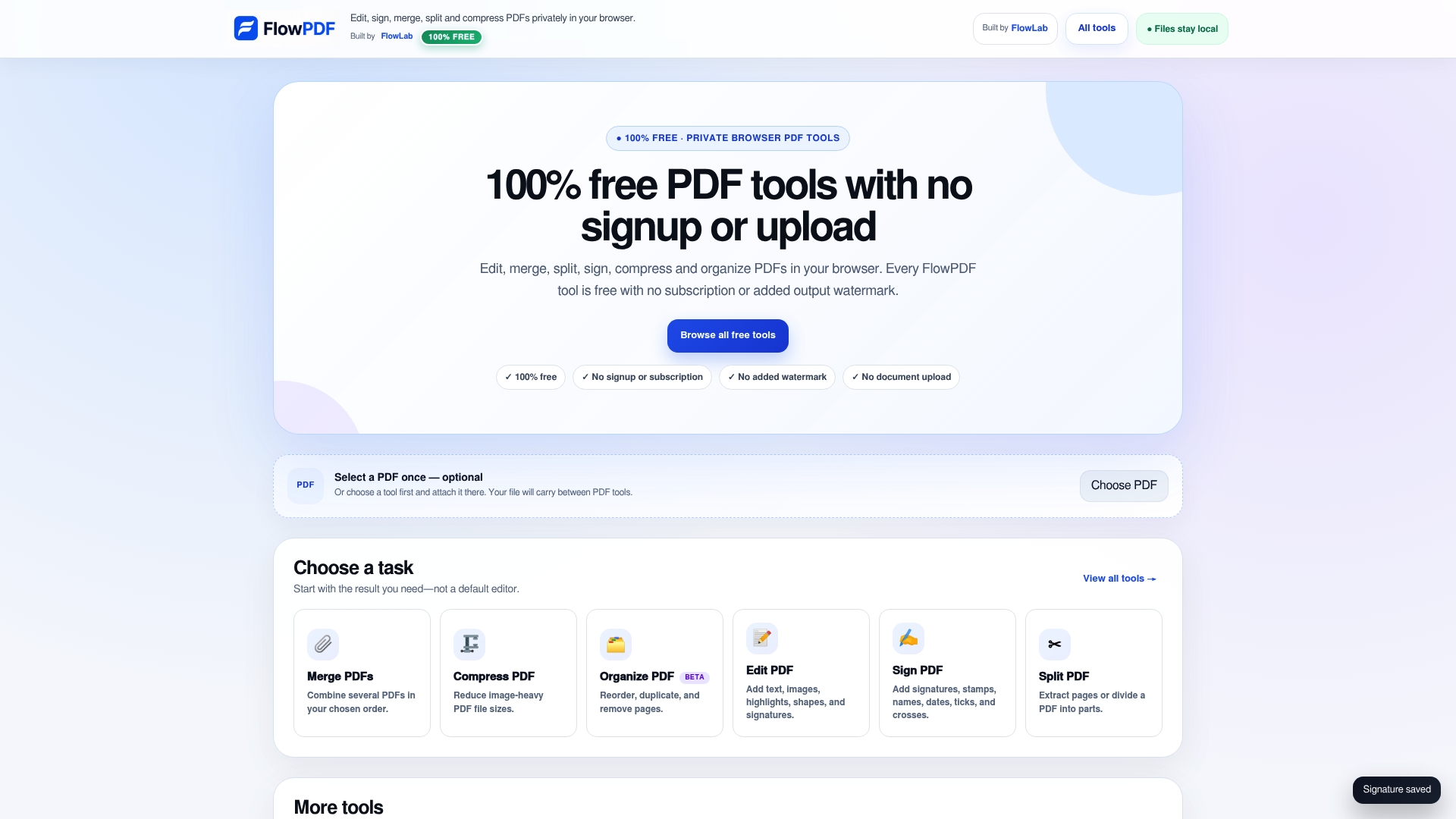
- Sign a PDF now without uploading it anywhere.
- Edit a PDF privately directly in your browser.
- Browse every free tool we offer in one place.
FAQ
Are DocuSign and DocHub the same?
No. DocuSign is a large enterprise e-signature platform built around integrations and workflow automation, while DocHub is a lighter editing and signing tool. They overlap on basic signing, but DocuSign targets larger organizations with more complex compliance and integration needs.
What else is similar to PDF editing tools like DocHub?
Beyond DocHub, options include browser-based toolkits like FlowPDF, government-backed signing services such as Sign with Singpass, and certificate-based providers like Netrust nSignBasic. Each fits a different combination of privacy, legal assurance, and budget.
What is a better alternative to Google Docs for PDF work?
Google Docs isn't built for native PDF editing, so a dedicated PDF toolkit works better for tasks like merging, redacting, or filling forms directly in a PDF file. A browser-based option such as FlowPDF handles those tasks locally without requiring an upload or an account.
Is DocHub actually free?
DocHub offers a free tier, but several features sit behind paid plans or add watermarks on free use, depending on the task. Tools that keep every feature free, with no watermark, are worth comparing before assuming a free tier covers everything you need.
Sources
- Sign with Singpass — overview (GovTech developer site)
- How Singpass digital signatures work (Sign with Singpass docs)
- nSignBasic | Netrust